How to Use a Stud Finder: Step-by-Step Guide
A stud finder is one of the most essential hand tools in home improvement, but user error causes thousands of missed screws, ruined drywall, and punctured electrical lines each year. Follow this definitive 6-step procedure to calibrate, scan, and pinpoint the exact 3/4-inch structural center of any 2x4 or 2x6 wall stud. Looking for the right tool? Compare top models in our best stud finder review.
Quick Key Takeaways
- ✓Hollow Wall Calibration: Press and hold power on hollow drywall; never calibrate directly over a stud.
- ✓Two-Direction Scan: Mark Edge A sliding right, then mark Edge B sliding left. Center is midway.
- ✓Static Discharge: Touch your free hand to the drywall to prevent erratic false capacitive beeps.
- ✓Vertical Verification: Move 12" up and down; true framing studs run unbroken floor-to-ceiling.
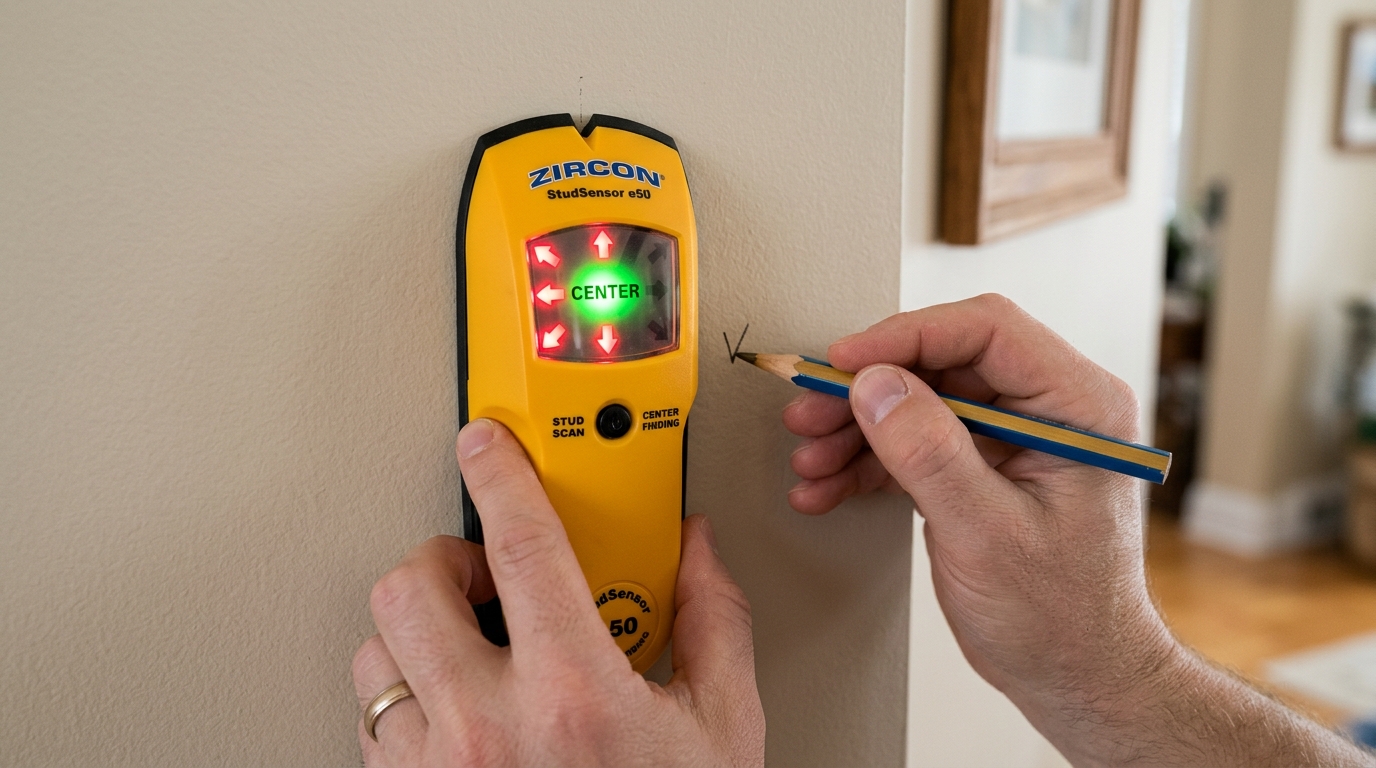
The Golden Rule of Stud Scanning
Never calibrate directly over a stud! Electronic capacitive scanners measure density relative to their starting baseline. If you calibrate over a solid stud, the tool assumes high density is "empty," causing false alarms and missed studs. Always calibrate over an empty wall cavity.
Find an Empty Wall Cavity for Calibration
Before turning on your scanner, tap the drywall with your knuckle. Between wall studs (which are spaced either 16 or 24 inches apart), the wall will sound like a hollow, echoing drum. When you tap over a solid 1.5-inch wood stud, the sound changes to a dense, muffled thud.
Calibrate Flat Against the Drywall Surface
Place the scanner completely flat against the wall. Do not tilt, twist, or rock the tool, as uneven pressure creates capacitive variance. Press and hold the power/scan button.
Wait 1 to 2 seconds until the unit emits a brief beep or the LCD flashes a "READY" or "CAL" symbol. If the scanner emits a continuous rapid tone immediately, it detected a stud during calibration. Move it 6 inches horizontally and calibrate again.
Slide Horizontally in a Level Plane
Keep the power button depressed and slide the unit slowly across the wall surface at a pace of 1 to 2 inches per second. Moving too quickly prevents the dielectric sensor from sampling density fluctuations accurately.
To prevent electrostatic buildup on painted surfaces, keep your other hand touching the wall 6 to 12 inches away from the scanner as an electrical ground.
Mark Edge A, Then Reverse and Mark Edge B
As the tool approaches the stud, the signal LED bars will rise. When the audio alert chirps or the center LED illuminates, use a light pencil to make a mark along the tool's guide notch on the drywall. This is Edge A.
Now move the tool past the stud by 6 inches, reverse direction, and slide back toward the stud from the opposite side. When the alert activates again, mark this second boundary as Edge B.
Verify 1.5" Width and Mark the 3/4" Center
Take a tape measure or ruler and measure the span between Edge A and Edge B. In standard 2x4 or 2x6 construction, this distance should measure approximately 1.5 inches.
Divide this distance in half: mark a vertical crosshair exactly 3/4 inch (0.75") from either edge. This is the structural center axis where heavy mounting lag screws must be driven. Learn more about nominal vs actual lumber sizes in our stud width guide.
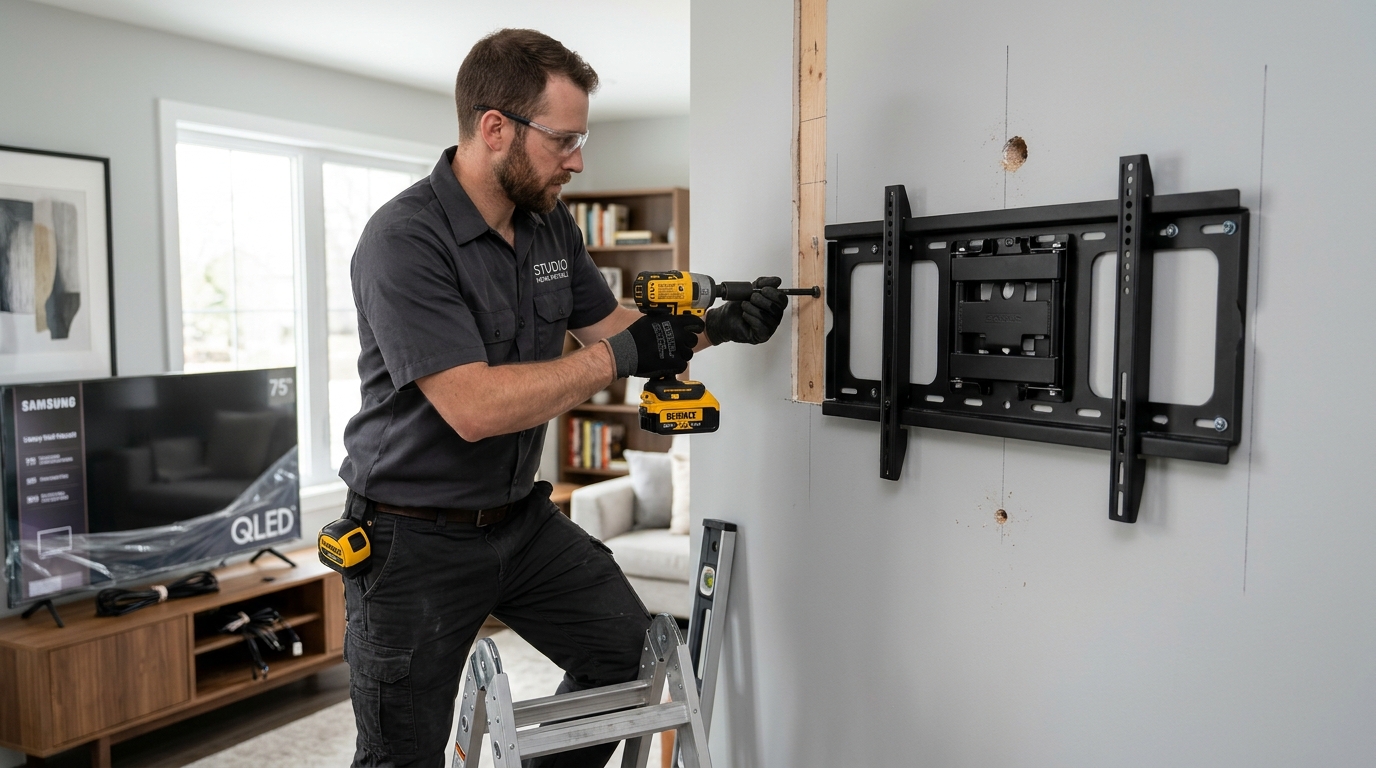
TV Wall Mounts & Heavy Floating Shelves
When mounting a 65"–85" TV or loaded bookshelf, lag bolts driven within 1/4" of the edge can split the wood stud or strip out under cantilevered load. Pinpoint the exact 3/4" centerline to secure maximum holding power.
Conduct a Vertical Verification Sweep
Never drill into a mark without vertical verification! A stud runs vertically from floor to ceiling. Move your stud finder 12 inches higher and scan across the same vertical line. If the mark reappears at the exact same horizontal position, you have confirmed a solid structural stud.
If the reading disappears 6 inches above or below, you may have detected horizontal fireblocking, plumbing pipes, or wiring conduit.
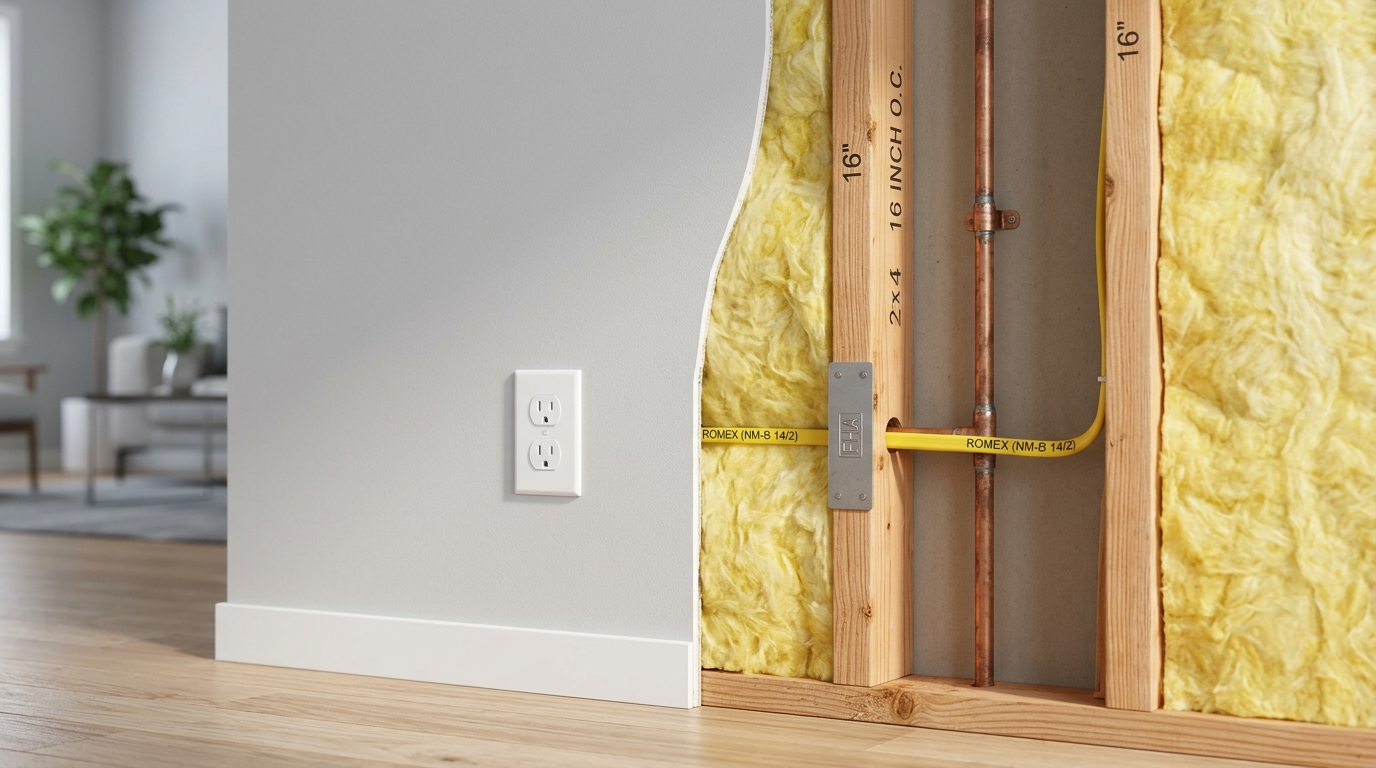
Differentiating Studs from Pipes and Wires
Plumbing lines and 120V Romex cables often run horizontally through 5/8" holes bored through studs. Code requires steel nail plates over shallow wires. A vertical sweep confirms continuous 92-5/8" wood stud meat.
Troubleshooting Common Stud Finder Issues
Frequently Asked Questions
Quick, authoritative answers to common wood framing, building code, and stud spacing questions.