Zircon Stud Finder Guide: Models, Calibration & Fixes
In 1980, Zircon Corporation invented the world's first electronic capacitive stud finder. Today, Zircon remains one of the most recognizable tool brands in North American hardware stores. From the entry-level StudSensor L50 to the advanced MultiScanner A250, learn how to calibrate your Zircon tool, decode audio alerts, and avoid false positives. Compare other top picks in our best stud finder guide.
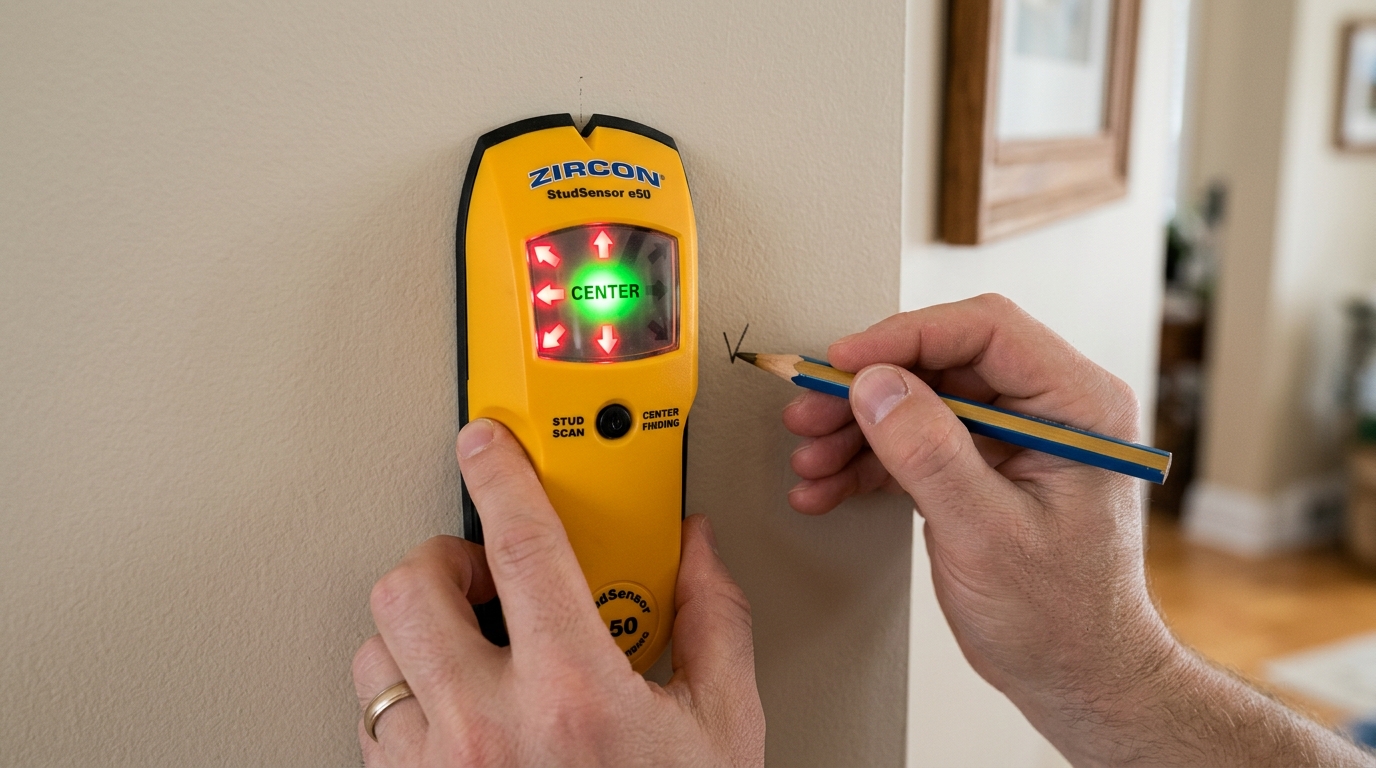
Find the Exact 3/4" Center of 2x4 Lumber
Dual-sensor arrays calculate the midpoint of 1.5-inch studs in a single horizontal sweep, projecting a bright SpotLite arrow onto the wall when you reach the center.
Zircon Stud Finder Lineup: Specs & Features
Direct side-by-side comparison of detection depth, display type, and wire detection across the most popular Zircon models.
| Model | Detection Type | Standard Scan | DeepScan Mode | WireWarning | Metal Mode | Approx Price |
|---|---|---|---|---|---|---|
| StudSensor L50 | Edge Finding (LED bars) | 3/4" (19 mm) | No | Yes (LED alert) | No | $21.99 |
| StudSensor HD55 | Center Finding (LCD screen) | 3/4" (19 mm) | 1.5" (38 mm) | Yes (Continuous) | No | $32.99 |
| MultiScanner A250 | Center Finding (Backlit LCD) | 3/4" (19 mm) | 1.5" (38 mm) | Yes (Audio + Icon) | Yes (3.0" depth) | $54.99 |
| MultiScanner i520 | Center Finding + ACT | 3/4" (19 mm) | 1.5" (38 mm) | Yes (Audio + Icon) | Yes (Ferrous/Copper) | $69.99 |
How to Properly Calibrate a Zircon Stud Finder
Because Zircon scanners use sensitive dielectric sensors, calibration sets the reference density for the wall. Follow these exact steps:
Place the scanner flat against the wall, at least 6 inches away from outlets, switches, or known studs. Tap with your knuckle first to ensure the wall sounds hollow.
Press and hold the Power/Scan lever on the side. The tool will emit a short beep (or display "CAL" on the LCD) and settle into ready mode. Do not release the power button while scanning!
Slide the scanner smoothly at 1 to 2 inches per second. When the SpotLite pointer illuminates and the audio tone sounds, you have found the 3/4" stud centerline.
Why Does My Zircon Beep Continuously? (And How to Fix It)
The number-one customer complaint with Zircon stud finders is a continuous, loud beeping sound as soon as the tool is activated. This occurs for two primary reasons:
Zircon tools feature Auto-Correcting Technology (ACT). If the sensor detects a high-density object at the exact moment of calibration, the unit continuously beeps to notify you that the calibration is invalid. To fix: Release the power button, move the scanner 6 inches left or right, and press the button again.
Capacitive sensors are highly voltage-dependent. When a 9V battery drops below 8.4 volts, the internal microprocessor loses reference stability, resulting in erratic alarms or false beeps. Replace the battery with a fresh, brand-name alkaline battery.
Zircon CenterVision vs. Edge Finding Technology
Older or entry-level models (like the StudSensor L50) are edge finders. They signal when the leading edge of the sensor passes from hollow drywall onto the edge of the 1.5" lumber. You must scan from both sides to find Edge A and Edge B.
Advanced Zircon models (like the HD55 and A250) incorporate CenterVision. By comparing signal strengths across two internal capacitors, the unit calculates the exact middle of the stud and projects an arrow beam directly onto the drywall center, saving time during TV mounting and shelf hanging. Learn full technique in our how to use a stud finder guide.
Frequently Asked Questions
Quick, authoritative answers to common wood framing, building code, and stud spacing questions.